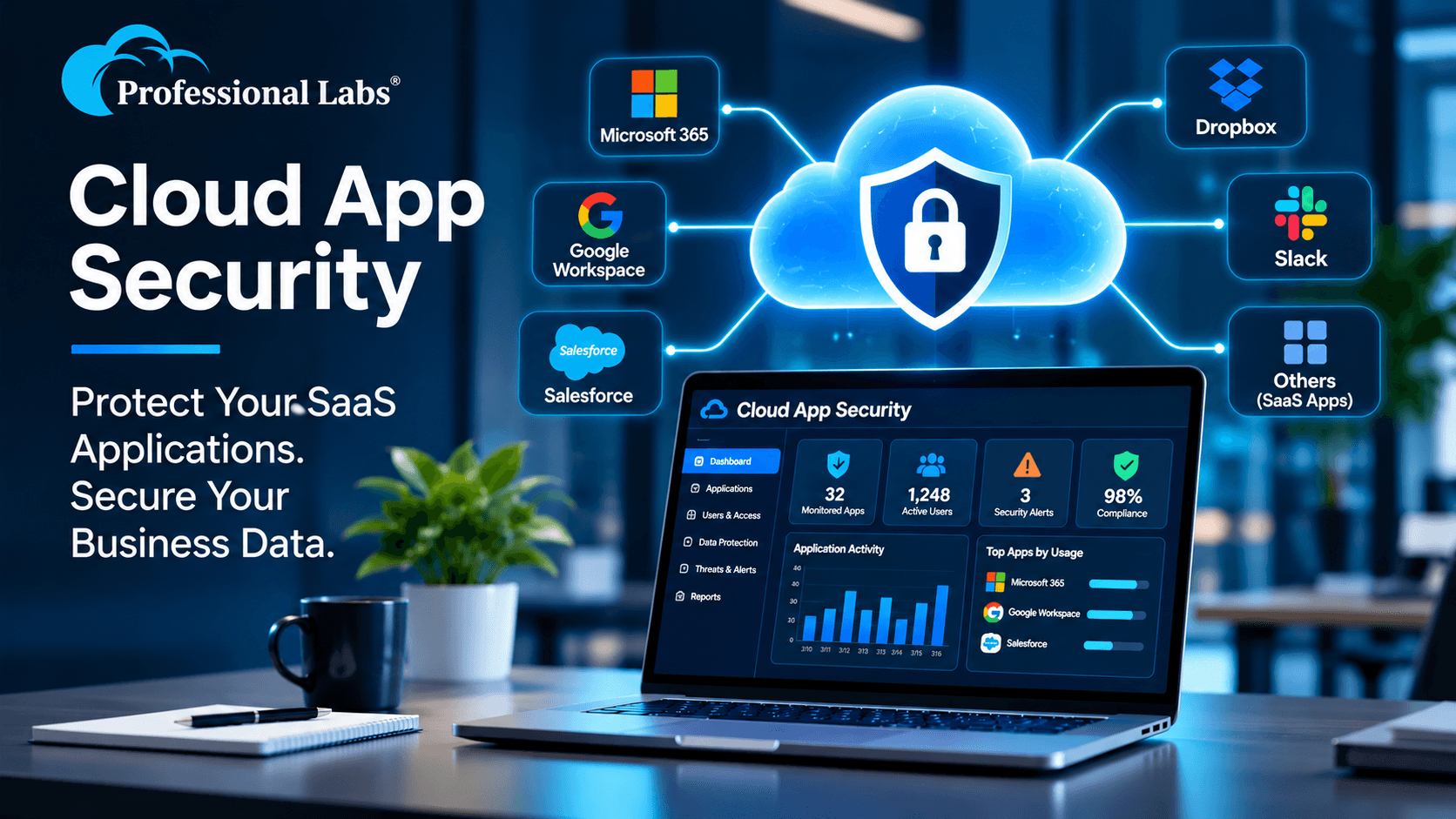
Cloud App Security: How Businesses Can Protect SaaS Applications and Data
Businesses today depend on cloud applications for almost every part of their operations. Employees use online platforms to communicate, share files, manage customer information, process transactions, collaborate with teams and access business-critical systems.
Cloud applications make businesses more flexible, but they also introduce security challenges. Employees may use applications that IT teams have not approved. Sensitive files may be shared with external users. Accounts can be compromised through phishing or stolen credentials. Third-party applications may receive permissions that provide access to important company information.
These risks make cloud app security an important part of modern business cybersecurity.
Cloud app security helps organisations understand which applications are being used, control who can access business information, monitor suspicious activities and reduce the risk of data exposure.
In this guide, we explain what cloud app security means, the risks businesses should understand and the security practices that can help protect cloud applications and sensitive business data.
What Is Cloud App Security?
Cloud app security refers to the technologies, policies and processes used to protect applications hosted in the cloud, the information stored within them and the people accessing those applications.
It covers more than protecting a login page. Effective cloud app security considers application usage, user identities, access permissions, data sharing, suspicious behaviour, third-party integrations and security configurations.
For example, an organisation may use cloud-based email, document storage, collaboration platforms, customer relationship management software and financial applications. Each application can contain sensitive information and may be accessed from different devices and locations.
A cloud app security strategy helps IT teams maintain visibility and apply appropriate controls across this environment.
Microsoft's Microsoft Defender for Cloud Apps overview explains how cloud application discovery, information protection, security posture management and threat protection can help organisations manage SaaS application risks.
Why Is Cloud App Security Important for Businesses?
Cloud services have changed how employees work. Teams can access applications from offices, homes and remote locations, while business data moves between users, devices and connected services.
Without appropriate visibility and controls, organisations may not know which applications are being used, who has access to sensitive files or whether unusual activity is taking place.
Cloud app security helps businesses address these challenges through better application visibility, identity protection, data controls and continuous monitoring.
1. Growing Use of SaaS Applications
Businesses often use multiple Software-as-a-Service (SaaS) applications for email, file storage, project management, communication, accounting and customer management.
Each application introduces its own users, permissions, integrations and data-sharing settings. Managing these separately can create security gaps.
2. Shadow IT and Unapproved Applications
Shadow IT refers to applications and cloud services used by employees without formal approval or visibility from the organisation's IT or security team.
Employees may sign up for external file-sharing tools, AI applications, communication platforms or productivity services to complete their work more quickly.
Although the intention may be productivity, unapproved applications can introduce risks involving sensitive data, access permissions, compliance and vendor security.
3. Compromised User Accounts
Stolen passwords, phishing attacks, credential reuse and weak authentication can allow unauthorised individuals to access cloud applications.
Once an account is compromised, attackers may access business documents, download sensitive files, send fraudulent messages or use the account to reach other connected services.
4. Accidental Data Exposure
Employees may unintentionally share confidential documents with external recipients, configure public links or grant wider access than necessary.
Cloud app security controls can help organisations identify risky sharing activities and apply appropriate data protection policies.
Common Cloud App Security Risks to Understand
Before selecting security tools or implementing policies, businesses should understand the common risks affecting cloud applications.
Unmanaged Cloud Applications
When employees use applications outside approved IT processes, security teams may lack visibility into where company information is stored and how it is being shared.
Excessive User Permissions
Users sometimes retain access to files, applications or administrative functions they no longer need. Excessive permissions increase the potential impact of compromised accounts and accidental misuse.
Insecure File Sharing
Public links, unrestricted external sharing and incorrectly configured collaboration settings can expose confidential business information to unintended recipients.
Third-Party Application Permissions
Many cloud applications connect with other services through integrations and OAuth permissions. If an application receives more access than necessary, it may create another route to sensitive information.
Suspicious Login and Application Activity
Unusual login locations, unexpected download activity, unfamiliar devices and abnormal application behaviour may indicate a compromised account or potentially malicious activity.
Misconfigured Security Settings
Incorrect access policies, weak sharing configurations and inconsistent security settings can create vulnerabilities even when a business uses reputable cloud platforms.
10 Important Cloud App Security Practices for Businesses
Organisations can reduce cloud application risks by combining visibility, identity controls, data protection and security monitoring.
1. Discover and Maintain an Application Inventory
Start by identifying the cloud applications employees are using across the organisation.
A central application inventory should help IT teams understand:
• Which cloud applications are being accessed
• Which departments and users rely on them
• What type of business information they handle
• Whether the applications meet organisational security requirements
• Which applications require review or restriction
Application discovery helps organisations make informed decisions about approved services and Shadow IT risks.
2. Strengthen Identity and Access Management
Cloud application security depends heavily on controlling user identities and permissions.
Businesses should establish appropriate access controls, including:
• Multi-factor authentication (MFA)
• Role-based access permissions
• Least-privilege access
• Regular access reviews
• Timely removal of access for former employees
These controls help reduce the risk of unauthorised access and limit the impact of compromised credentials.
3. Apply Conditional Access Policies
Not every login attempt should receive the same level of access.
Conditional access policies can evaluate factors such as user identity, device status, application, location and sign-in risk before allowing access.
For example, an organisation may require additional verification for access from unfamiliar locations or restrict sensitive application sessions from unmanaged devices.
Access policies should be designed around business requirements and implemented with appropriate testing to avoid disrupting legitimate users.
4. Protect Sensitive Business Information
Businesses should identify the information that requires additional protection, such as financial records, customer information, employee data, intellectual property and confidential business documents.
Data protection measures may include:
• Data classification
• Sensitivity labels
• Data Loss Prevention (DLP) policies
• Restrictions on external file sharing
• Controls for downloading sensitive information
These practices help organisations reduce accidental disclosure and inappropriate data sharing.
5. Monitor Third-Party Application Permissions
Connected applications can receive permission to access information from other cloud services. Businesses should review these permissions regularly.
IT teams should understand which applications are connected, what information they can access, who approved them and whether those permissions are still required.
Unused or suspicious integrations should be reviewed and, where appropriate, access should be revoked.
6. Monitor Suspicious User and Application Activities
Security teams should monitor application activity to identify unusual behaviour and potential threats.
Important activities to review include:
• Unusual login patterns
• Unexpected file downloads
• Unusual data-sharing activity
• Suspicious administrative changes
• Access from unfamiliar devices or locations
• Unusual activity involving connected applications
Timely detection can help security teams investigate potential incidents before they create greater business disruption.
7. Review Cloud Application Security Configurations
Cloud application settings should be reviewed regularly to identify misconfigurations and unnecessary exposure.
Organisations should evaluate authentication settings, user permissions, external sharing options, application integrations and administrative controls.
Security configuration reviews should be part of ongoing IT governance rather than a one-time activity.
8. Integrate Cloud App Security with Threat Monitoring
Cloud application security becomes more effective when relevant alerts and security events are considered alongside other IT security signals.
Connecting cloud application monitoring with broader security operations can help teams investigate suspicious activity across identities, endpoints, networks and cloud services.
Organisations with more complex environments may also consider a Managed SOC service for continuous security monitoring, threat detection and incident response support.
9. Establish Clear Cloud Application Usage Policies
Technology controls alone are not enough. Employees should understand which applications are approved, how business information can be shared and what to do when they identify suspicious activity.
A practical cloud application policy should explain acceptable usage, access requirements, data-sharing rules, third-party integrations and incident reporting procedures.
10. Review and Improve Security Regularly
Cloud environments change as businesses introduce new applications, employees join or leave, and vendors update their services.
Regular security reviews should examine application inventories, user permissions, security alerts, configuration changes and data-sharing practices.
Continuous improvement helps businesses keep their cloud security controls aligned with their changing requirements.
What Is Microsoft Defender for Cloud Apps?
Microsoft Defender for Cloud Apps is Microsoft's cloud access security and SaaS protection solution. It provides capabilities for discovering cloud applications, assessing application security posture, protecting information and identifying threats across connected cloud services.
Its capabilities include:
• Cloud application discovery and visibility
• Shadow IT identification and assessment
• SaaS security posture management
• Information protection and data controls
• Threat detection and investigation
• Application governance and connected app protection
Microsoft documents these capabilities in its official Defender for Cloud Apps documentation.
The exact capabilities available to an organisation depend on its Microsoft licensing, connected applications, configuration and deployment choices. Businesses should verify their current licensing and requirements before implementation.
How Cloud App Security Supports a Zero Trust Strategy
Zero Trust is a security approach based on the principle that access should not be trusted automatically simply because a user or device is inside a corporate network.
Instead, access decisions should consider identity, device health, application sensitivity, location, risk and the context of each request.
Cloud app security supports this approach by helping organisations:
• Verify user identities before granting access
• Apply least-privilege permissions
• Control access to sensitive cloud applications
• Monitor user and application behaviour
• Restrict risky data-sharing activities
• Review third-party application permissions
These controls can help reduce unnecessary access and improve visibility across cloud-based business environments.
When Should a Business Consider Cloud App Security Services?
Cloud app security should be considered when an organisation is experiencing increased cloud application usage, managing sensitive business information or supporting employees across multiple locations and devices.
It may be particularly relevant when:
• Employees use multiple SaaS applications for daily operations
• IT teams have limited visibility into Shadow IT
• Business information is shared with external users
• The organisation uses Microsoft 365 and other connected cloud platforms
• Security teams need better visibility into application activity
• Access permissions and application integrations require regular review
• The business is strengthening its Zero Trust security strategy
Businesses should assess their current cloud environment before selecting security tools or services.
How Professional Labs Can Help with Cloud App Security
Professional Labs provides IT and cybersecurity services, including Microsoft Cloud App Security, as part of its broader managed IT and security service portfolio.
Organisations evaluating cloud application security can explore the available Microsoft Cloud App Security services from Professional Labs.
A cloud security discussion should begin with understanding the applications in use, the information they handle, existing identity controls and the organisation's security objectives.
Depending on the environment, businesses may need to review application visibility, access policies, data protection requirements, third-party integrations and monitoring arrangements.
Professional Labs also provides Identity and Access Management solutions and Managed SOC services that can be considered as part of a broader cybersecurity strategy.
Conclusion: Make Cloud Application Security Part of Your Business Strategy
Cloud applications have become essential to modern business operations, but their growing use also creates new security responsibilities.
Unmanaged applications, excessive permissions, compromised accounts, third-party integrations and accidental data sharing can expose sensitive business information if appropriate controls are not in place.
A practical cloud app security strategy combines application discovery, identity protection, access controls, data security, activity monitoring and regular security reviews.
Whether your organisation uses Microsoft 365, collaboration platforms, cloud storage or multiple SaaS applications, understanding how business data is accessed and shared is an important step towards stronger cybersecurity.
Looking to strengthen your cloud application security?
Explore Professional Labs Microsoft Cloud App Security services and learn how your organisation can improve visibility and protection across its cloud application environment.
Visit Professional Labs to explore its cybersecurity, cloud and managed IT services.
Frequently Asked Questions
1. What is cloud app security?
A: Cloud app security refers to the technologies, policies and processes used to protect cloud-based applications, user access and the business information stored or shared through them.
2. Why is cloud app security important for businesses?
A: It helps businesses identify unapproved applications, protect sensitive information, control user permissions, monitor suspicious activity and reduce the risk of data exposure.
3. What is Microsoft Defender for Cloud Apps?
A: Microsoft Defender for Cloud Apps is Microsoft's cloud application security solution. It provides capabilities for cloud app discovery, SaaS security posture management, information protection and threat detection.
4. What is Shadow IT in cloud security?
A: Shadow IT refers to applications and cloud services employees use without formal approval or visibility from their organisation's IT team. These applications can introduce data protection and security risks.
5. How can businesses protect data in cloud applications?
A: Businesses can use identity controls, multi-factor authentication, least-privilege permissions, data classification, DLP policies, secure sharing settings and continuous activity monitoring.
6. What is the difference between cloud security and cloud app security?
A: Cloud security is a broad discipline covering cloud infrastructure, platforms, services and data. Cloud app security focuses specifically on protecting applications, their users, connected services and the information handled within them.
7. How does cloud app security support Zero Trust?
A: Cloud app security supports Zero Trust by helping organisations verify identities, control application access, apply least-privilege permissions and monitor user and application activity.
8. When should a business consider cloud app security services?
A: Businesses should consider cloud app security when they use multiple SaaS applications, handle sensitive information, support remote employees or need better visibility and control over cloud application access.
9. Can Microsoft Defender for Cloud Apps identify Shadow IT?
A: Yes. Its cloud discovery capabilities can help organisations identify cloud applications in use, assess application risks and improve visibility into Shadow IT. Available functionality depends on licensing and configuration.
10. How can Professional Labs help with cloud app security?
A: Professional Labs lists Microsoft Cloud App Security among its cybersecurity services. Businesses can contact the team to discuss their cloud application environment and security requirements.